How to stop the screen from turning off automatically
If the screen turns off or goes black after some time, follow the steps below.
This is a Google TV system setting. DS-GO TV Player does not turn off the screen by itself.
Open Settings
On the home screen, click the gear icon in the top-right corner.
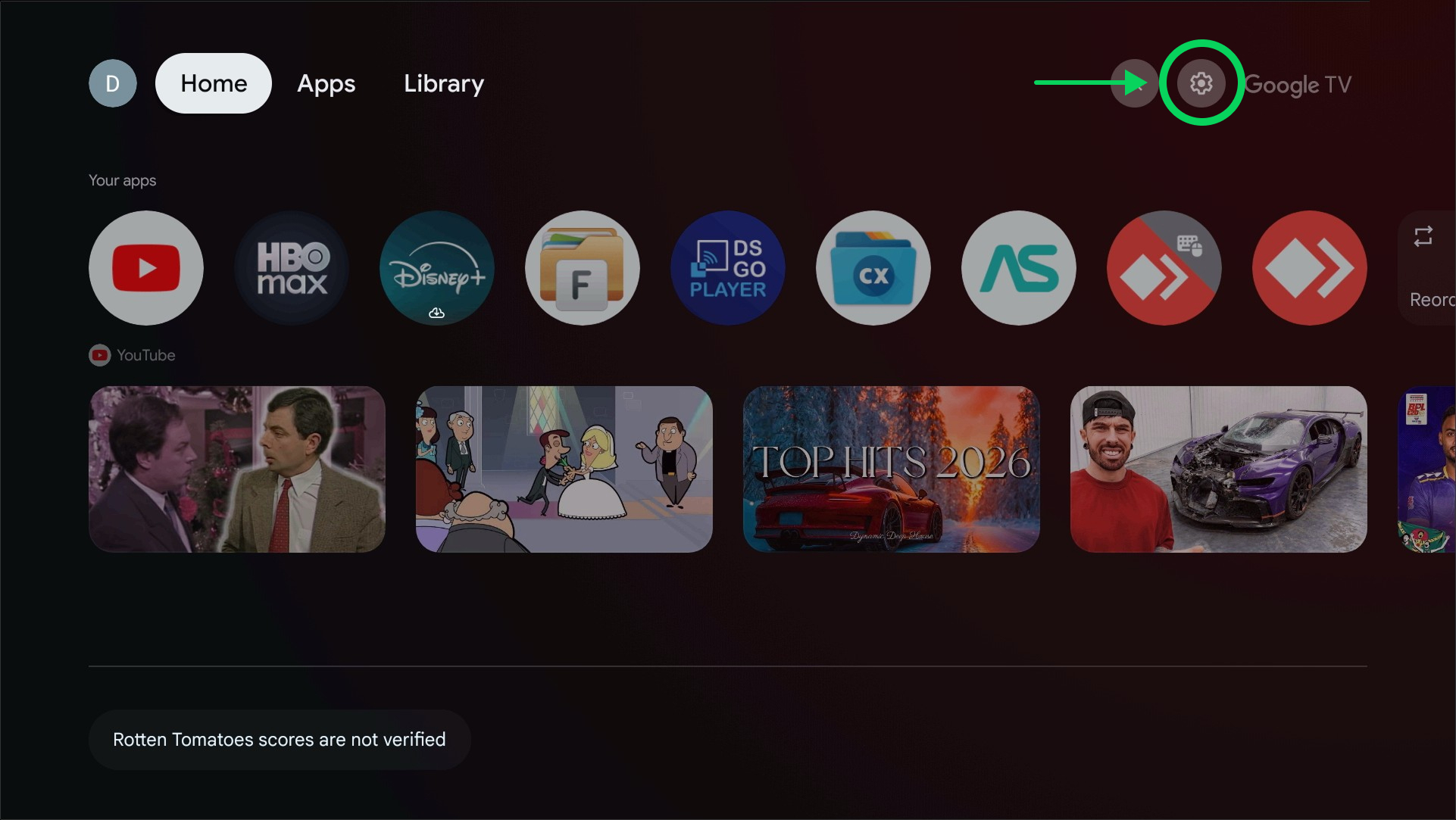
Open “Settings”
The settings menu will open. Do not change anything: just continue.
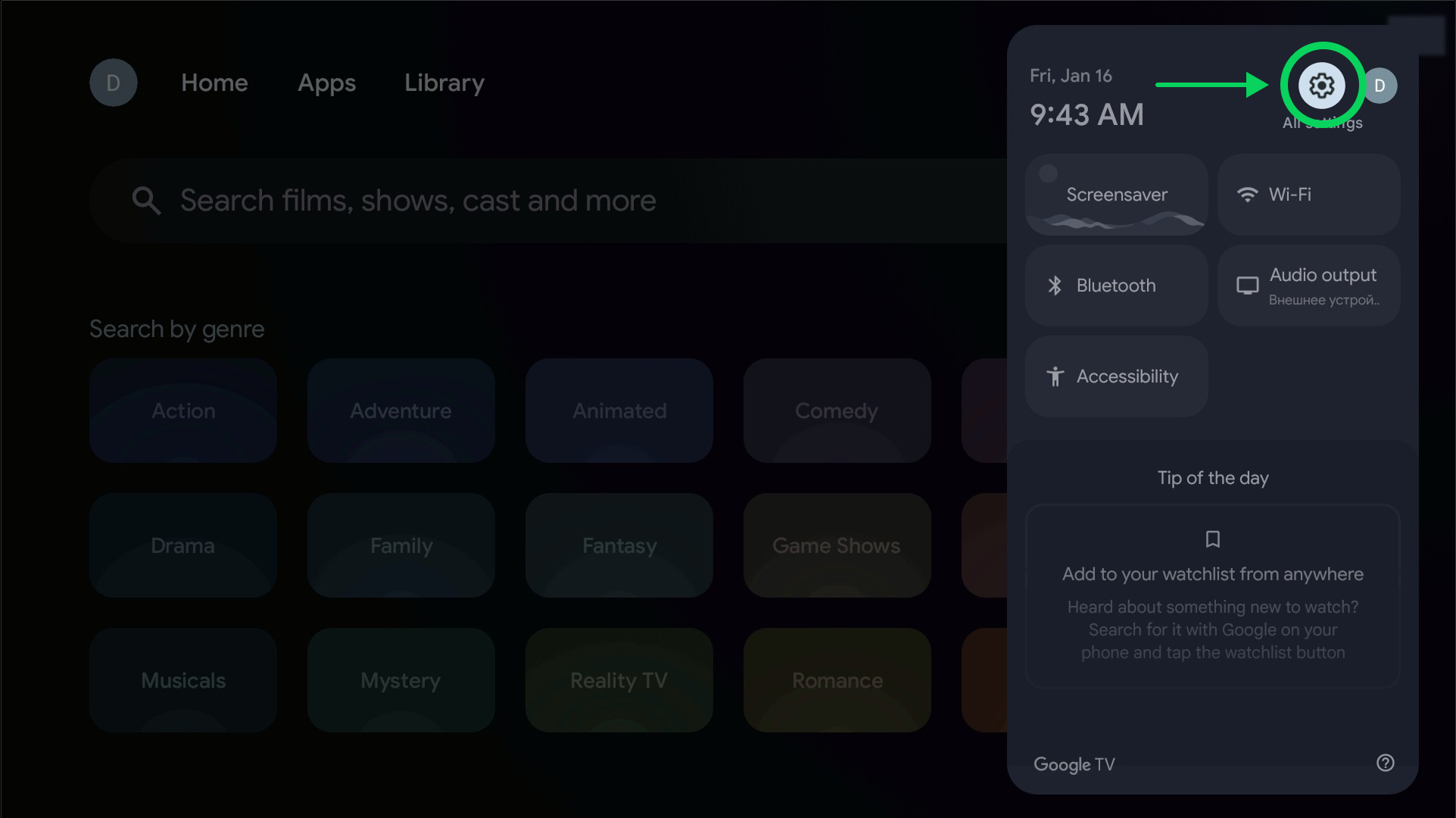
Open “System”
In the settings list, select System.
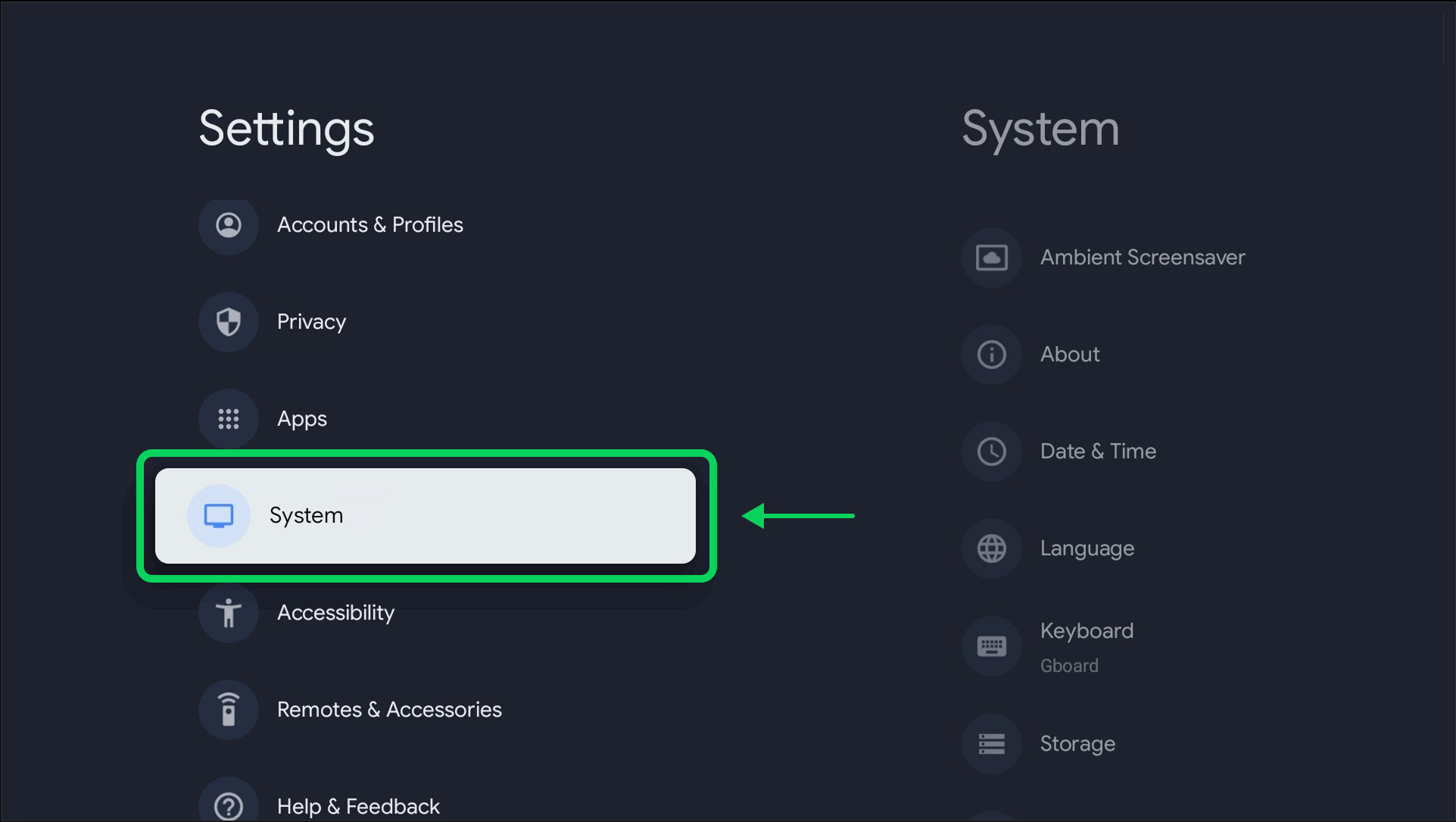
Open “Shut-Off Timer”
Inside System, select Shut-Off Timer.
Disable automatic turn-off
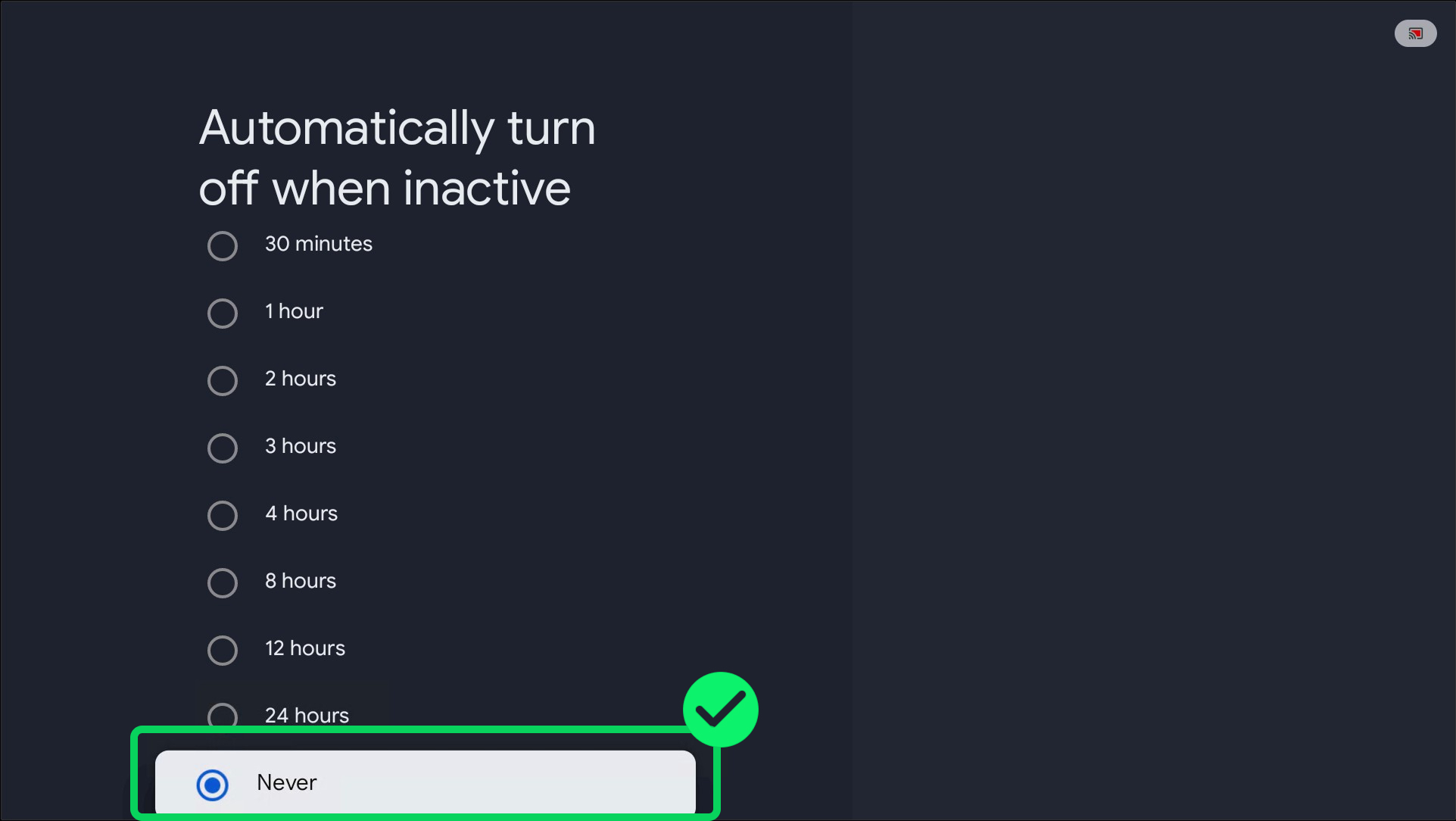
- Open Automatically turn off when inactive
- Select Never
- Confirm by clicking Confirm
Make sure Never is selected.
Done
Now:
- the screen will stay on
- Chromecast will not turn off when inactive
- DS-GO TV Player will keep running
Important
- This setting only needs to be done once
- After a Google TV system update, it may reset. Just check it again
- If the screen still turns off, check the TV’s own settings (Eco Mode / Auto Power Off / Sleep Timer)