To automatically launch the DS-GO player when you turn on your TV or set-top box, you need to enable DS-GO support in Android Accessibility settings.
1From the home screen, use your remote to select the Settings icon and press OK.
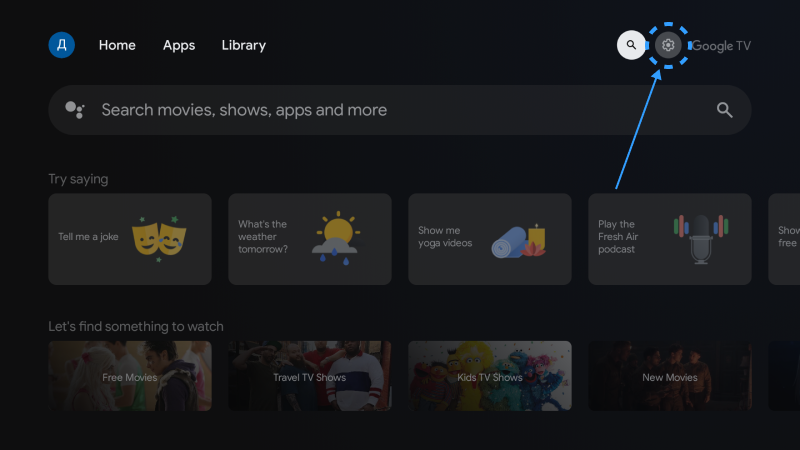
2In the menu that appears, select the All Settings icon and press OK.
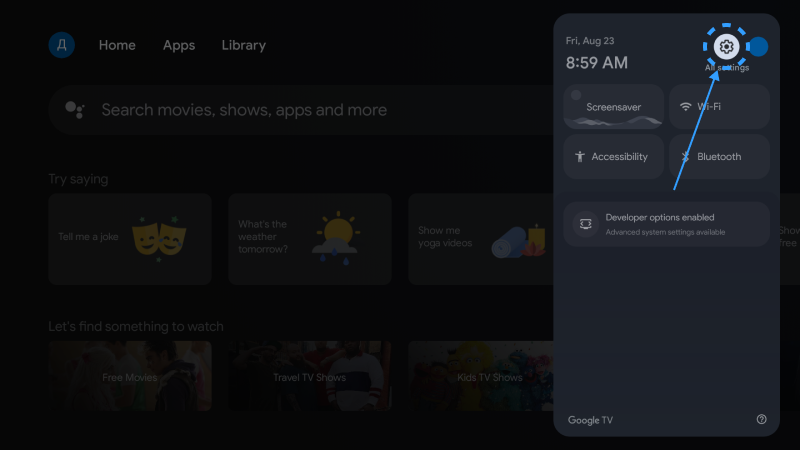
3Locate the System section and press OK.
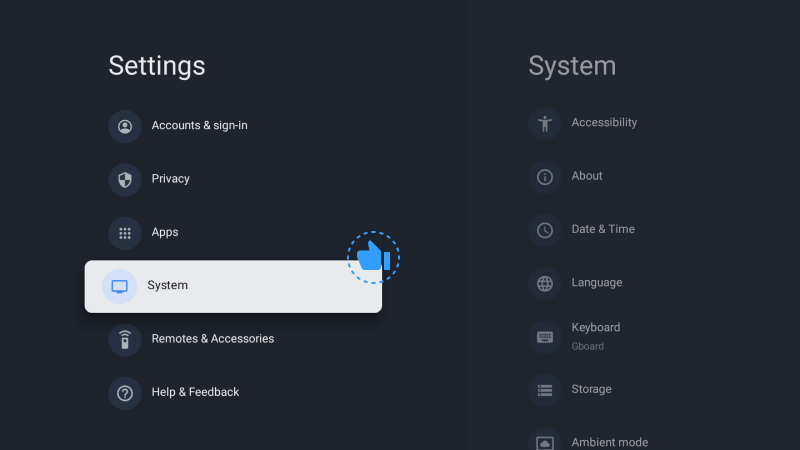
4Select Accessibility.
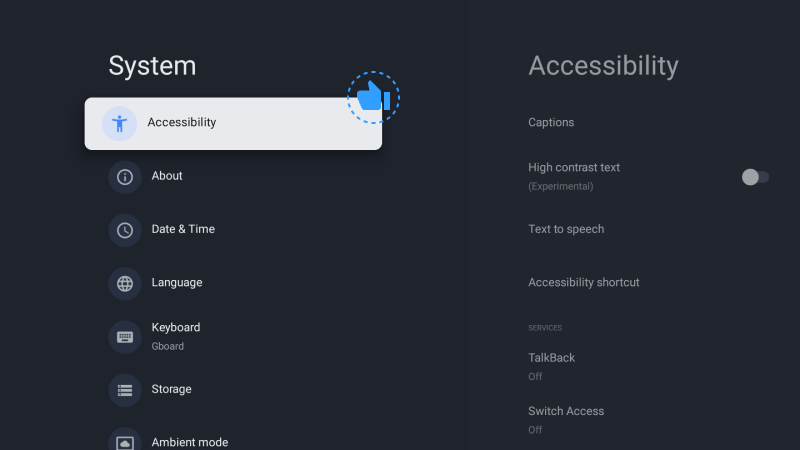
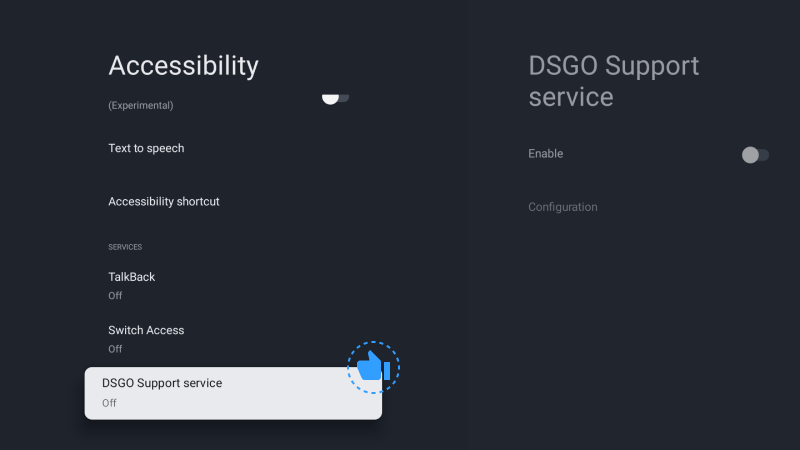
5Find the DS-GO Support service and press OK.
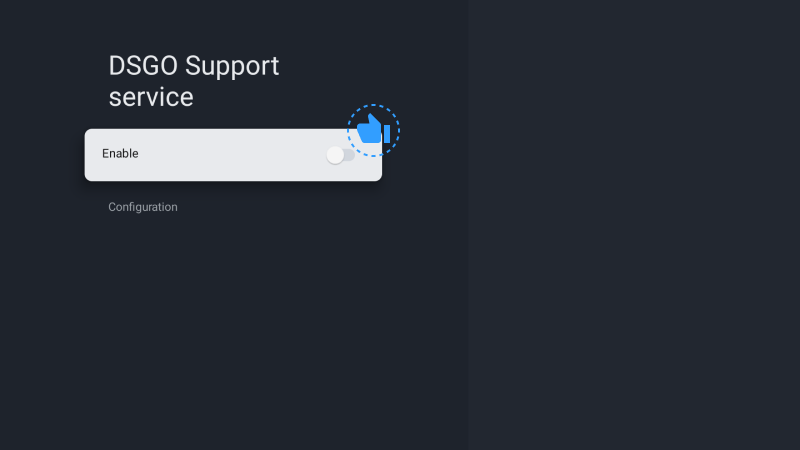
6Press OK on the Enable line.
7Confirm the enablement.
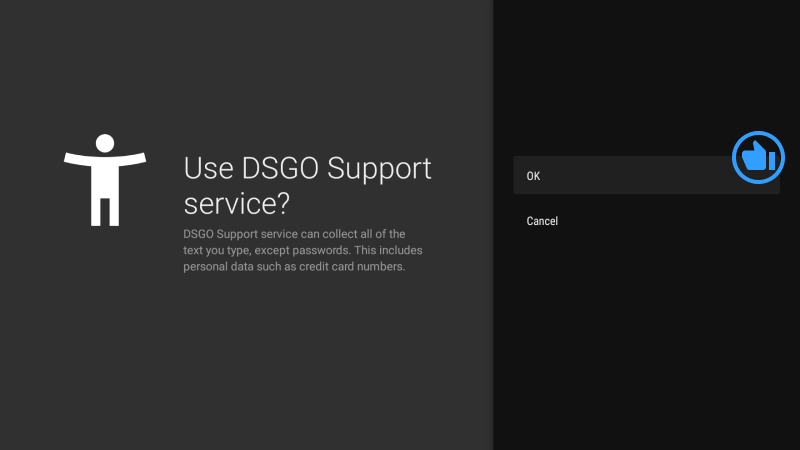
Now the DS-GO Player will launch automatically whenever you turn on your TV or set-top box.