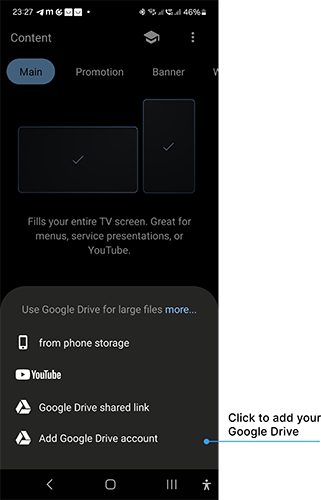
You can publish content stored both on your smartphone and in Google Drive.
You can publish content stored both on your smartphone and in Google Drive. DS-GO supports publishing individual media files from Google Drive.
Publishing from Google Drive works almost the same as publishing from your phone, with one important difference: files from Google Drive do not take up space on your phone. They are uploaded directly to your TV or media player.
How to use Google Drive in DS-GO
If you signed up for DS-GO with a Google account and granted Drive access, you can use Google Drive right away: tap “+” in the Content section and select your Google Drive account.
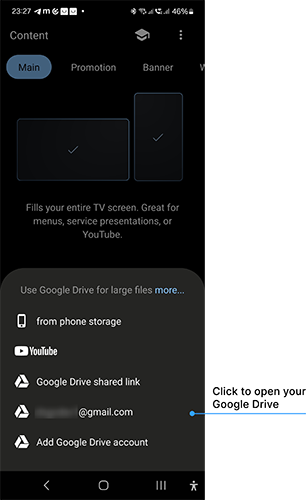
If you registered with an email address or didn’t grant Drive access, add your Google account: tap “+” in Content and choose Add Google Drive Account.