Manage digital signage and menu boards from your phone
From $2.99 per Screen/month*
Digital signage content for cafes · bars · salons · retail
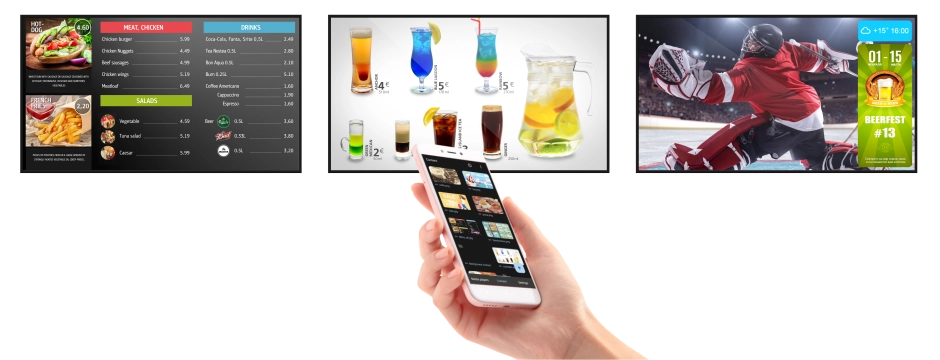
Digital menu
Show menu photos and videos on your screens. Set schedules: breakfast in the morning, lunch during the day, promotions in the evening.
Promotions
Show promotions, new items and banners across your venue screens. Schedule by day and hour — reach peak times.
Drive attention with entertaining content
Start YouTube remotely from the DS-GO app. Launch playlists, videos and live streams on selected screens. Overlay banners with daily specials, discounts and new items.
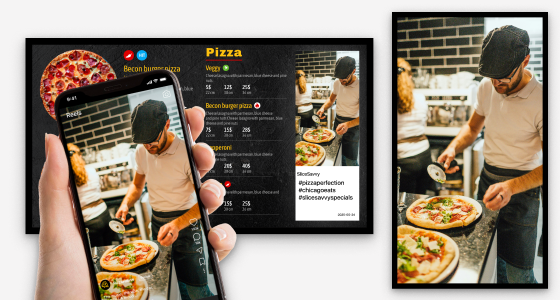
Instagram
Show your Posts, Reels and Feed on screens, filter by hashtags and schedule by weekday and time windows, display full-screen or as a banner.
Show slideshows and videos, YouTube links: videos, playlists and live streams.
Instagram
Show your Posts, Reels and feed on screens, target by hashtags, weekdays and time windows, full-screen or as a banner.
Banners
Overlay your offers on top of any content.
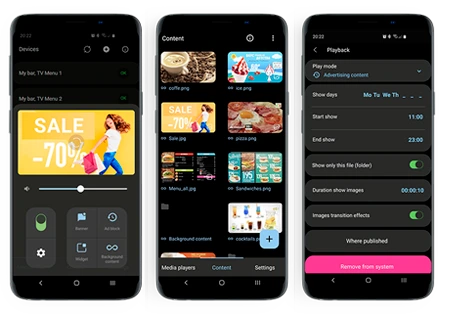
Smart schedules
Set by weekdays and times of day. Use Breakfast/Lunch modes: the right offers auto-play at set hours, content can change daily.
Web pages
Display a website or dashboard on screen.
Share from phone (Share Sheet)
Send websites and YouTube from your smartphone straight to the screens.
Google Drive
Publish content from Google Drive using links to files or folders.
Screen zones
Split the screen into regions and mix content.
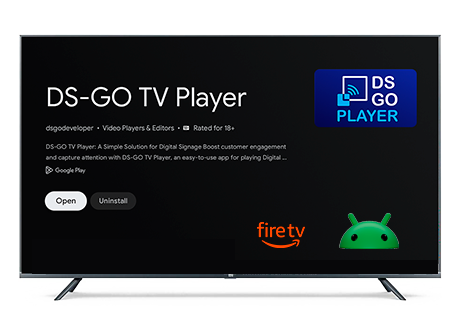
Connect any TV to DS-GO
If you have a regular TV or LED display, use a media player with Android TV or Amazon Fire TV.
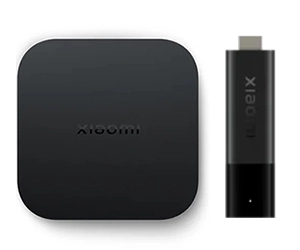
Xiaomi
TV Box S
Mi TV Stick
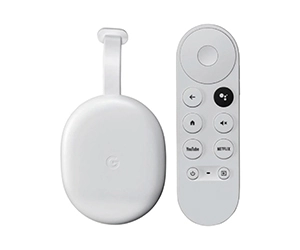
Google
Chromecast with Google TV
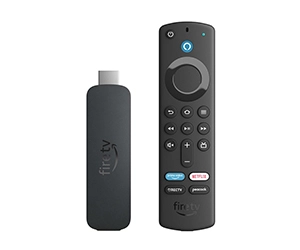
Fire TV
Fire TV Stick
Start for free!
Try DS-GO on up to 3 screens. After the Trial, subscriptions start at $2.99 per screen per month.*
* Exact price is shown in the app and may vary by region and store.
Frequently asked questions
• Which devices does DS-GO TV Player work on?
Android TV and Fire TV (including TV boxes and TVs on these platforms).
• Do I need an Internet connection?
Yes. Internet is required to send and update content on your screens, control the volume remotely, view a player screenshot, and play YouTube. If the connection drops, the player will keep showing already downloaded files. YouTube and remote controls will be unavailable until the Internet is back.
• Can I show different content on different screens?
Yes. You can set a separate schedule and content set for each screen.
• Does the player start automatically?
Yes. The player starts automatically when the TV/screen is turned on. On some models you need to enable this feature in the device settings.
More details
.
• Can I connect DS-GO to an LED screen?
Yes. An LED screen has a controller—a separate box that receives a signal from external devices and drives the screen. Controllers usually have an HDMI input. If your controller has HDMI, connect an Android TV box (Android 7.0+ and 2 GB RAM), install DS-GO TV Player, and link the screen in the DS-GO mobile app.
If you’re not sure, just ask your screen supplier.
• My TV isn’t Android TV. Can I still use DS-GO?
Yes. Use an external Android TV box/stick. We recommend Chromecast with Google TV, Amazon Fire TV Stick, or Xiaomi TV Box S / Mi TV Stick (and other devices on Android 7.0+ with 2 GB RAM). Before installation, test the device for stable operation and a reliable Internet connection in your location (a few hours of continuous playback is best).
• My TV doesn’t have the Google Play Store. Can I still use DS-GO?
If the TV
really runs Android
, you can install DS-GO TV Player manually (APK) —
Learn how
.
If the TV is not Android (e.g., webOS/Tizen), use an external Android TV box/stick.
• Can I show one video on some days and another on other days?
Yes. In DS-GO you can set days and hours for each video in advance.
Examples:
• Breakfasts on weekdays: a different video each day.
• Deal of the Day: weekdays 12:00–15:00; weekends — all day.
• Can I see what my screen is showing right now in DS-GO?
Yes. You can view a screenshot—a still image of the current frame (not video). The screenshot is available when the TV/box with DS-GO TV Player is on and online.


 Watch how to set it up →
 See the full guide →
 English
 Português